Hey folks! 👋
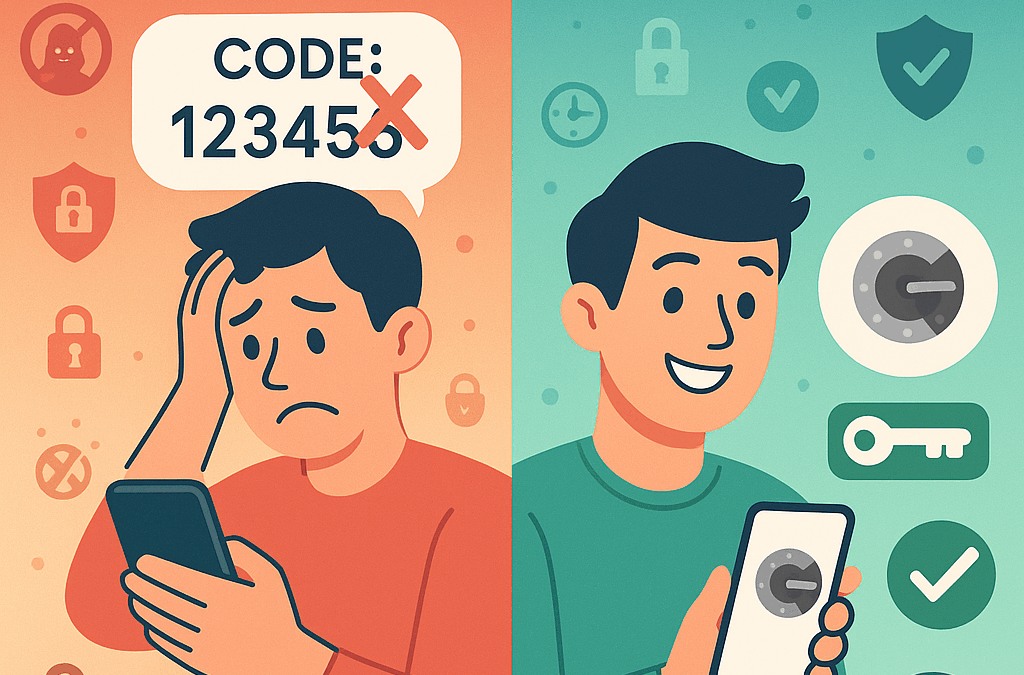
So you’re trying to figure out this whole Google Authenticator thing instead of those pesky six-digit codes, eh? Don’t worry – you’re not alone in feeling like a Luddite! I’ve got your back, and we’re gonna make this as easy as eating a slice of apple pie. 🥧
When Technology Feels Like Speaking Klingon 🖖
Look, I get it. Sometimes this tech stuff feels like we’re trying to decode alien messages from outer space. Just last week, my neighbor Betty (she’s 72 and runs a flower shop) called me in a panic. She’d been using those text message codes for years, and suddenly her bank wanted her to use something called an “authenticator app.” She thought she’d need a degree from MIT just to check her balance!
Here’s the thing – those hosers out there are getting smarter. They’ve figured out ways to intercept those six-digit text codes faster than you can say “Happy Days.” That’s why we’re all being pushed toward these authenticator apps. It’s like upgrading from a regular deadbolt to one of those fancy electronic locks – except this one’s free and way easier to use than you’d think.
The Great SMS Code Heist of 2023 📱
Let me tell you about what happened to Frank’s Hardware Store down in Boston last year. Frank had been using text message codes for everything – his bank, his supplier accounts, even his email. One morning, he woke up to find his business checking account emptied. Turns out, some hoser had done something called “SIM swapping” – basically convinced Frank’s phone company to transfer his number to their phone.
Once they had control of his number, they got all his text codes and went to town. Frank lost $47,000 before breakfast. The FBI said this type of attack increased by 500% in 2023 alone (source: FBI IC3 Report 2023). Yikes! 😱
SecurityMatters #ProtectYourBusiness #2FAUpgrade
Google Authenticator: Your Digital Bouncer 💪
Think of Google Authenticator like having The Fonz as your personal security guard. It sits on your phone and generates fresh codes every 30 seconds – codes that only exist on YOUR device. No hoser can intercept them because they never travel through the airwaves.
Setting Up Is Easier Than Programming a VCR 📼
Remember how hard it was to set the clock on those old VCRs? Well, this is way easier. Here’s how Betty from the flower shop did it:
Step 1: Download the App – If you’ve got an iPhone: Open the App Store (that blue icon with an “A”) – If you’ve got an Android: Open Google Play Store – Search for “Google Authenticator” – Download it – it’s free!
Step 2: The Magic Square Dance When a website asks you to set up 2FA: 1. They’ll show you a QR code (looks like a funky square barcode) 2. Open Google Authenticator 3. Tap the “+” button 4. Choose “Scan QR code” 5. Point your camera at the square on your computer screen 6. Boom! You’re connected! 🎉
Step 3: Using Your New Codes – Open the app whenever you need a code – Find the account you’re logging into – Type in the 6-digit number shown – Watch it change every 30 seconds (pretty cool, right?)
But Wait – There’s a Better Option! 🚀
Now, here’s where I’m gonna blow your mind like that twist ending in “The Sixth Sense.” While Google Authenticator is good, there’s something even better out there – especially if you’re running a business.
Enter Duo: The Cadillac of Security 🚗
I always recommend https://duo.com for my business folks. Why? Because it’s like comparing a bicycle to a Corvette. Sure, they’ll both get you there, but one’s a whole lot smoother.
With Duo: – You get a push notification – just tap “Approve” – No typing numbers like you’re entering nuclear launch codes – Works even when you’re traveling (unlike SMS codes) – Can protect your whole team with one setup
Sarah, who runs a dental practice in Vermont, switched her entire office to Duo last summer. She told me, “Craig, it’s so simple even my receptionist who still uses a flip phone figured it out!” That’s saying something!
DuoSecurity #BusinessProtection #EasySecurity
The Future Is Here: Passkeys! 🔮
Okay, folks, buckle up because I’m about to tell you about something that makes even Google Authenticator look old-school. It’s called passkeys, and it’s like going from a horse and buggy straight to a Tesla!
What the Heck Are Passkeys? 🤔
Remember how annoying it is to type passwords? Or even those authenticator codes? Well, passkeys basically say “Fuhgeddaboudit!” to all that nonsense. They’re like having a digital fingerprint that only your device knows.
Here’s the mind-blowing part – you don’t need to remember anything. Zip. Zilch. Nada. Your phone or computer does all the heavy lifting. It’s like having KITT from Knight Rider handle your security – except it’s real! 🚗
How My Barber Became a Passkey Convert ✂️
Sal’s been cutting hair in Southie for 40 years. Last month, his daughter convinced him to try passkeys for his booking system. His reaction? “It’s like magic! I just look at my phone, and I’m in!”
That’s because passkeys use the same stuff that unlocks your phone – your fingerprint, face, or PIN. The website never sees any of that. Instead, your device just tells the website, “Yep, this is really Sal.” No passwords flying through cyberspace for hosers to grab!
Setting Up Passkeys (Easier Than Adjusting Rabbit Ears) 📺
When a website offers passkeys:
- They’ll ask if you want to create one
- Use your normal phone unlock (fingerprint, face, whatever)
- That’s it. Seriously. You’re done!
Next time you log in:
- Click “Sign in with passkey”
- Unlock your phone the normal way
- You’re in! No passwords, no codes, no nothing!
Google, Apple, Microsoft – they’re all pushing passkeys hard. By the end of 2024, experts predicted 50% of major websites supported them (source: FIDO Alliance Report 2024). Even the government’s getting on board!
Passkeys #FutureOfSecurity #NoMorePasswords
Real People, Real Problems, Real Solutions 💡
Let me share a few stories that’ll make you go “Aha!”
The Pizza Shop Miracle 🍕
Tony’s Pizza in Newark almost went under when hosers locked up all his computer systems with ransomware. They demanded $50,000 in Bitcoin. But here’s the kicker – they got in because Tony was still using just passwords, no 2FA at all!
After that nightmare, Tony not only added Duo but also: – Started using 1Password for all his passwords – Installed Windows Defender (it’s free and already on your Windows computer!) – Set up OpenDNS to block nasty websites
Six months later, the hosers tried again. This time? They bounced off his defenses like a tennis ball off a brick wall. Tony’s response? “Fuhgeddaboudit!”
The Accountant’s Close Call 📊
Mary, a CPA from Providence, thought she was being clever using her dog’s name plus her birth year for passwords. Sparky1963 might fool your nephew, but it won’t fool professional hosers. They cracked it in about 3 seconds.
But here’s the twist – even though they had her password, her Google Authenticator stopped them cold. She got an alert at 2 AM about a login attempt from Russia. Without that second factor, her clients’ financial data would’ve been toast.
Stats show that 99.9% of automated attacks are stopped by any form of 2FA (source: Microsoft Security Intelligence Report 2023). That’s like having a 99.9% chance of winning at Vegas – except this time, the house doesn’t always win! 🎰
The Passkey Pioneer 🌟
Here’s my favorite story. Remember Betty from the flower shop? Last week, her bank started offering passkeys. She called me, worried it was “too advanced.” Twenty minutes later, she called back laughing. “Craig, I can’t believe I was scared! It’s easier than using my TV remote!”
Now she’s evangelizing passkeys to everyone at her bridge club. One of them said, “If Betty can do it, anyone can!” That’s the beauty of passkeys – they’re actually EASIER than passwords, not harder.
CyberSecurity #SmallBusinessTips #StayProtected
The Password Manager Revolution 🔐
While we’re talking security, let’s address the elephant in the room – passwords. If you’re still using sticky notes or that little notebook in your desk drawer, it’s time for an intervention.
1Password is what I recommend to everyone. It’s like having a super-secure vault that remembers everything for you. No more “Password123!” or using your kid’s birthday. It creates passwords that look like your cat walked across the keyboard – but in a good way!
Example: kJ9#mP$2qR!xN7@5 Try guessing that, hosers! Or even mask3HOSER&germany! (easier to remember)
Here’s the kicker – 1Password now supports passkeys too! So you get the best of both worlds. For sites that haven’t caught up to passkeys yet, you’ve got super-strong passwords. For sites that have? You’re living in the future, baby! 🚀
Your Security Evolution Roadmap 🗺️
Think of this like leveling up in Pac-Man:
- Level 1: SMS Codes (You are here – time to move up!)
- Level 2: Authenticator Apps (Good!)
- Level 3: Push Notifications (Duo)(Better!)
- Level 4: Passkeys (Best! Welcome to the future!)
You don’t have to jump straight to Level 4. Even moving from SMS to Google Authenticator is like going from a screen door to a real door. Every level up makes life harder for the hosers.
Playbook: Your Three-Step Action Plan 📋
Alright folks, let’s wrap this up with three things you can do RIGHT NOW to protect yourself:
1. Replace SMS Codes Today
- Download Google Authenticator or sign up for https://duo.com
- Start with your most important accounts (bank, email, payroll)
- Look for passkey options – you might be surprised how many sites already offer them!
- Work through the rest over the next week
2. Get a Password Manager
- Download 1Password (it handles both passwords AND passkeys!)
- Start by adding your top 10 accounts
- Let it generate new, strong passwords as you go
- Enable passkeys wherever they’re offered
3. Check Your Computer’s Defenses
- Windows users: Make sure Windows Defender is turned on
- Everyone: Consider OpenDNS (free for home use) or Cisco Umbrella for business
- Run a security checkup on all your devices this weekend
- Update your devices – passkeys work best on newer software
The Bottom Line 🎯
Look, I know technology can feel overwhelming. But here’s the thing – those hosers are counting on us staying confused and sticking with the old ways. Every time someone says “I’m too old for this tech stuff,” a hacker gets their wings.
You don’t need to become a tech wizard. You just need to take these simple steps to protect what you’ve worked so hard to build. Betty did it with her flower shop. Tony saved his pizza place. Mary protected her clients. And now they’re all moving to passkeys because it’s actually EASIER than what they were doing before!
Remember what Mr. Rogers used to say? “Look for the helpers.” Well, consider me your neighbor in the digital neighborhood, and I’m here to help.
Want more tips delivered right to your inbox every week? Head over to CraigPeterson.com and sign up for my free weekly emails. No spam, no sales pitches – just good old-fashioned advice to keep you and your business safe from the hosers.
Stay safe out there, folks! And remember – if a 72-year-old florist can figure out Google Authenticator AND passkeys, so can you! 💪
TechForEveryone #SecurityMadeSimple #CraigPeterson #DigitalSafety #SmallBusinessSecurity #AuthenticatorApps #Passkeys #ByeByeHackers #FutureProofSecurity
P.S. – If you’re still feeling stuck, drop me a line. We’re all in this together, and there’s no such thing as a dumb question when it comes to protecting yourself online! And hey, if you see a website offering passkeys, give ’em a try. You might just surprise yourself with how easy it is!